A slow phone means your device takes more time to open apps, respond to touch, or perform simple tasks. It may lag, freeze, or take longer to load content. This can happen due to storage issues, background apps, or software problems.
Have you ever felt frustrated when your phone hangs or works slowly? It can waste your time and make simple tasks difficult. Many people face this issue but don’t know the exact reason. The good news is that you can fix it with some easy steps.
In this guide, you will learn the common causes of a slow phone and simple ways to fix it. We will share easy tips and quick solutions that actually work. These methods will help improve your phone’s speed and performance.
Common Signs of a Slow Phone
A slow phone shows clear signs during daily use. Apps take more time to open. The screen may lag when you touch it. Simple tasks feel slower than usual.
You may also notice problems while switching between apps. The phone can freeze or stop for a few seconds. Sometimes it restarts on its own. This makes using the phone frustrating.
Another sign is poor overall performance. The battery may drain faster than normal. The phone can get hot even with light use. These signs show that your phone is not working at its best.
Why My Phone Is Slow (Main Reasons Explained)
Your phone becomes slow when it runs out of storage space. Too many apps, photos, and videos fill the memory. This makes it hard for the system to work smoothly. As a result, apps take longer to open and respond.
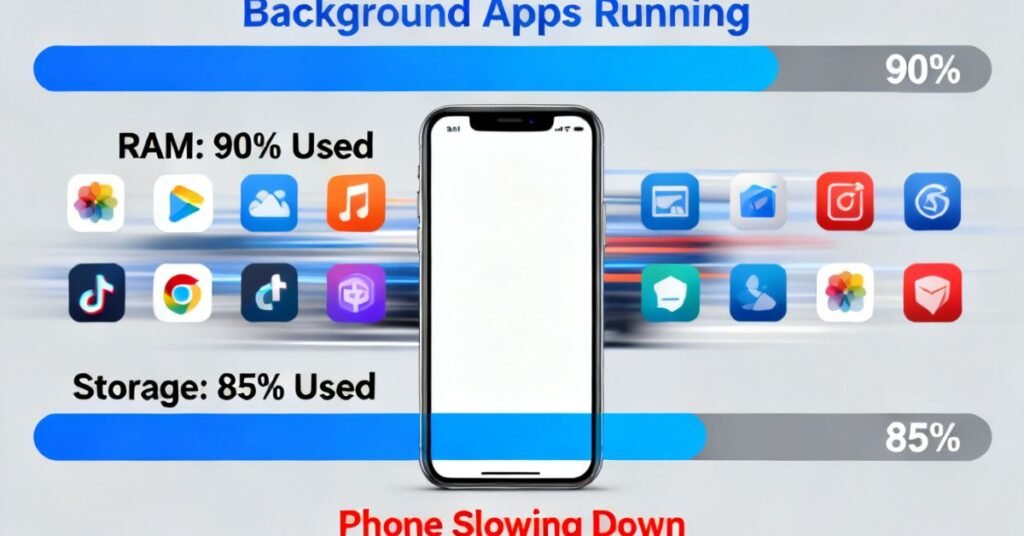
Another reason is running too many apps in the background. These apps use memory and slow down performance. Old software or outdated apps can also cause problems. They may not work well with the latest system updates.
Sometimes the issue is due to cache and junk files. These files build up over time and affect speed. Poor battery health and overheating can also slow your phone. All these reasons together make your phone lag and feel slow.
How to Fix a Slow Phone Step by Step
Start by clearing storage on your phone. Delete unused apps, old photos, and videos. This gives your phone more space to work smoothly. Next, close background apps that you are not using. Restart your phone to refresh the system and improve performance.
After that, update your phone software and apps. Updates fix bugs and improve speed. Clear cache files from settings to remove junk data. If your phone is still slow, reset it as a last option. Always keep your phone clean and organized for better performance.
Step-by-Step Fix Table
| Step | What to Do | Why It Helps |
| 1 | Delete unused apps | Frees up storage space |
| 2 | Remove old photos and videos | Improves phone speed |
| 3 | Close background apps | Saves memory and battery |
| 4 | Restart your phone | Refreshes system performance |
| 5 | Update apps and software | Fixes bugs and improves speed |
| 6 | Clear cache files | Removes junk data |
| 7 | Disable unnecessary features | Reduces load on system |
| 8 | Check for malware or virus | Prevents unwanted slowdowns |
| 9 | Factory reset (last option) | Restores phone to original speed |
Apps That Make Your Phone Slow
Some apps can slow down your phone without you noticing. Heavy apps like games and editing tools use a lot of memory. When you keep many such apps installed, your phone struggles to run smoothly. This causes lag and slow performance.
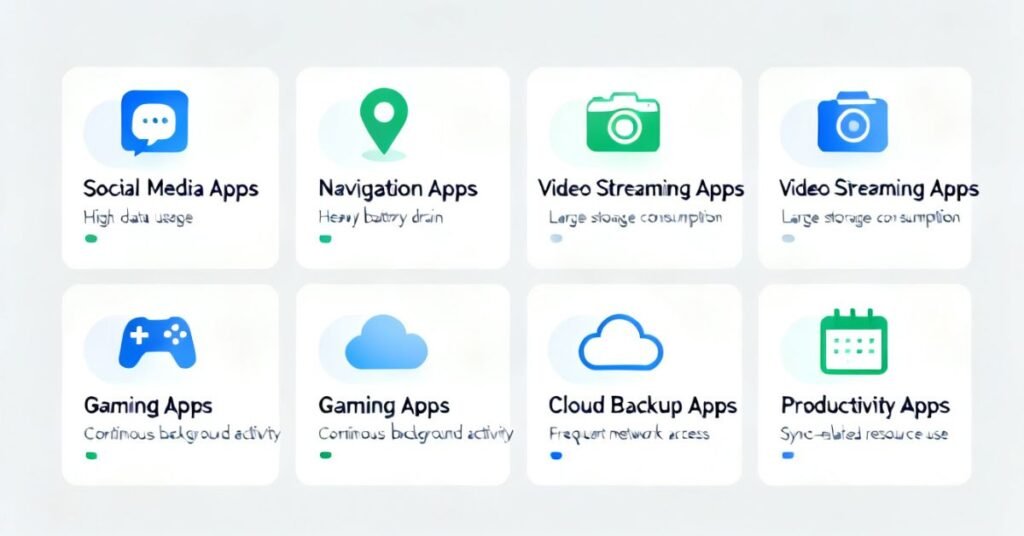
Apps that run in the background also create problems. Social media, messaging apps, and location-based apps keep working even when you are not using them. They use memory and battery continuously. This reduces your phone’s speed over time.
Unused apps can also affect performance. Many people install apps and forget about them. These apps still take storage and may run background processes. It is better to remove apps you do not need to keep your phone fast.
Storage Issues and Their Impact
Low storage space can make your phone slow. When storage is almost full, the system cannot work properly. Apps take longer to open and may crash. The phone also lags during normal use.
Too many photos, videos, and apps fill up the storage quickly. Large files take more space and slow down performance. When there is no free space, your phone struggles to save new data. This affects overall speed and efficiency.
Cache and junk files also create storage problems. These files build up over time and use space without any benefit. It is important to clear unnecessary files regularly. Keeping enough free storage helps your phone run faster and smoother.
Simple Tips to Speed Up Your Phone
You can make your phone faster with a few simple steps. Start by cleaning your storage and removing unused apps. This gives your phone more space to work. Restart your phone regularly to refresh the system.
Keep your apps and software updated. Updates fix bugs and improve performance. Also, clear cache files to remove junk data. Avoid using too many heavy apps at the same time. This helps your phone stay smooth and responsive.
You can also follow these easy tips:
- Delete apps you don’t use
- Clear cache regularly
- Restart your phone weekly
- Keep storage space free
- Turn off unused features like Bluetooth or GPS
- Avoid too many background apps
These small steps can improve your phone’s speed and performance.
Mistakes That Slow Down Your Phone
Many people make simple mistakes that slow down their phone. One common mistake is installing too many apps. These apps take storage and use memory in the background. This makes the phone slow and less responsive.
Another mistake is not clearing cache and junk files. Over time, these files build up and reduce storage space. People also forget to update their apps and systems. Old versions can cause bugs and slow performance.
Using too many apps at the same time is also a problem. It puts pressure on the phone’s memory and processor. Leaving background apps open for long hours also slows things down. Avoiding these mistakes helps keep your phone fast.
Final Tips to Keep Your Phone Fast
To keep your phone fast, follow simple daily habits. Always clear unused apps and files from your phone. Restart your phone regularly to refresh the system. Keep enough free storage so your phone can work smoothly.
Also, avoid using too many heavy apps at the same time. Keep your software updated for better performance. Clear cache files from time to time to remove junk data. These small habits can help your phone stay fast and smooth for a long time.
FAQs
1. Why is my phone getting slow?
Your phone gets slow due to low storage, too many apps, or background processes.
2. How can I make my phone faster?
Clear storage, remove unused apps, and restart your phone regularly.
3. Does cache make the phone slow?
Yes, too much cache and junk files can reduce speed and performance.
4. Do updates improve phone speed?
Yes, software updates fix bugs and help improve performance.
5. What is the quickest way to speed up a phone?
Delete unused apps and clear storage for instant improvement.
No Responses